
Manage all your tournaments online
Excel spreadsheets are a thing of the past!
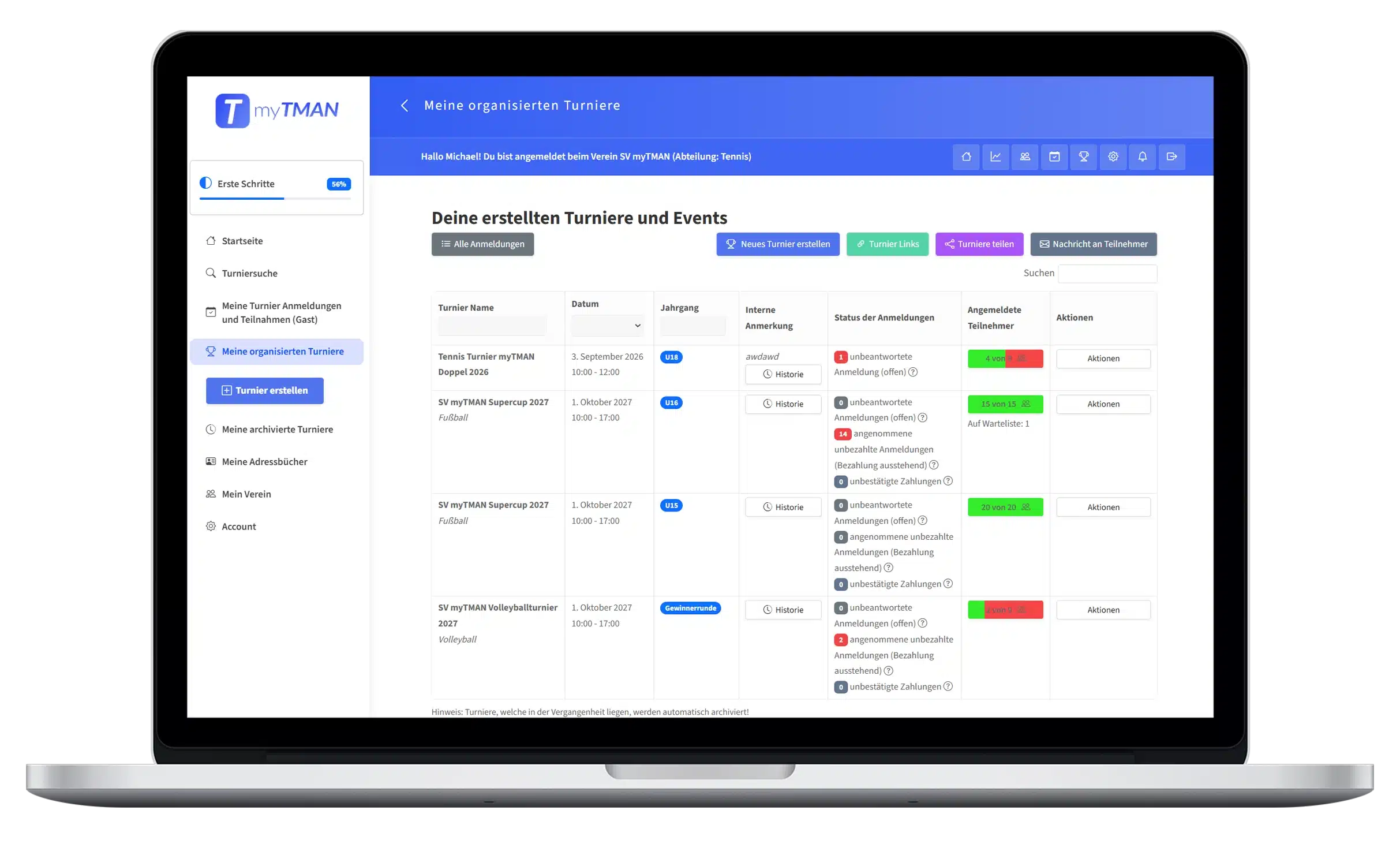
In the tournament overview, you can see all the tournaments you've created in one place. Here, you can edit your tournaments, duplicate them, create a tournament schedule, run the tournament, generate invitation links, plan locker room and court assignments, create " Certificates ," and take care of everything else.
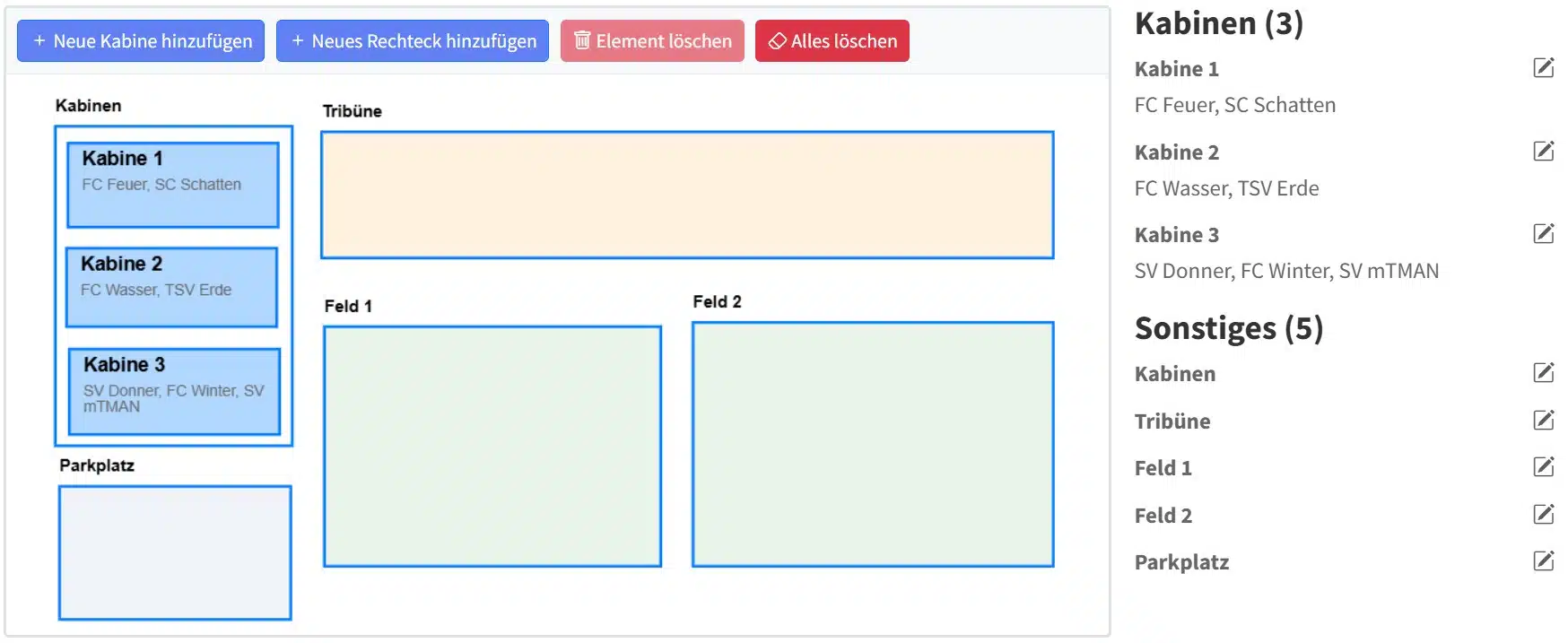
Visual Cabin & Seat Assignment Planner
With this new tool, organizers can now easily plan their locker room assignments visually. Other elements, such as playing fields, parking spaces, etc., can also be added with ease. The plan can also be exported as a PDF, printed, and is displayed directly on the tournament invitation page.
Useful administrative functions
Duplicate Tournament
Are you hosting more than one tournament—for example, on the same day but for a different age group? If so, use the "Duplicate Tournament" feature to copy a tournament with a single click.
Add notes
You can add important information about your tournament directly as a note to the tournament.
Cancel the tournament
If, unfortunately, your tournament cannot take place, you can cancel it with a single click and automatically notify all participants of the cancellation.
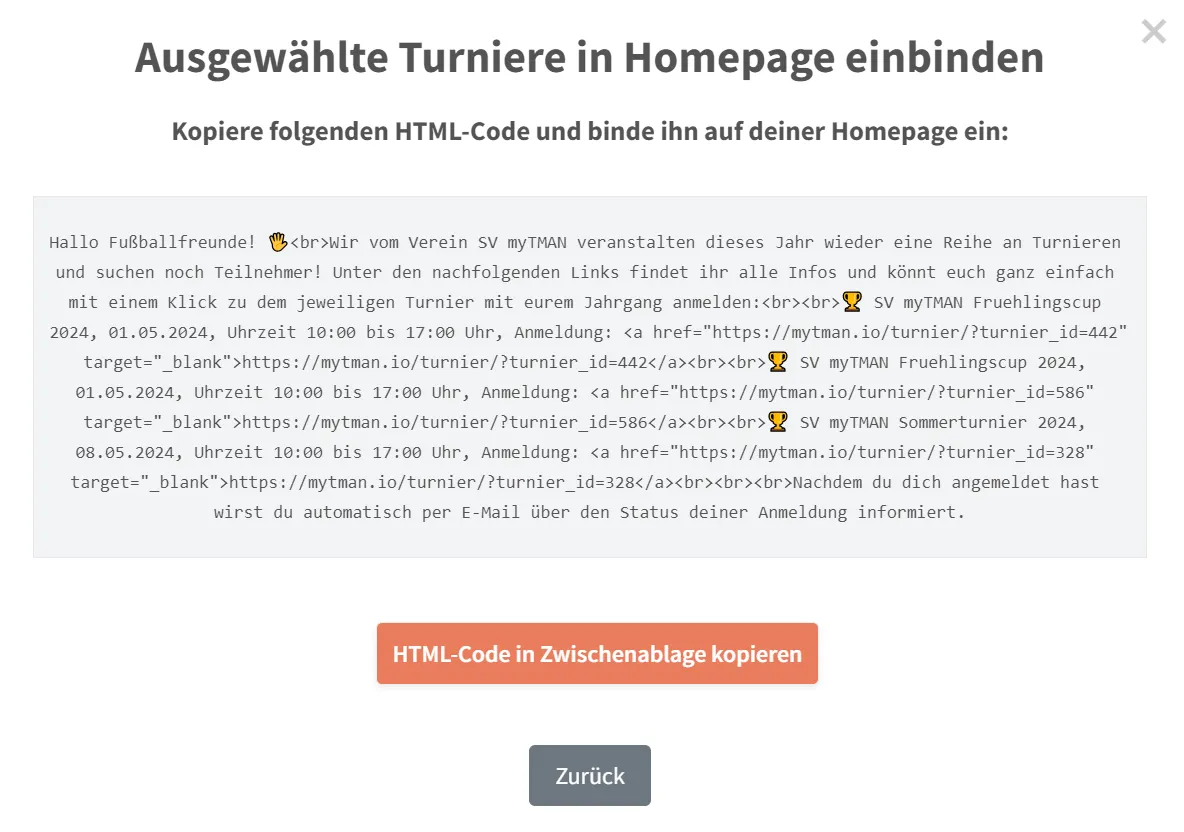
Include tournament invitations on the homepage
Would you like to continue promoting your tournament on your website? No problem—with just one click, we'll generate an HTML code that you can easily embed on your website.
Add helper
You're not the sole tournament organizer? Then use this feature to easily add helpers to your tournament who can assist you with the organization.