
Visual Cabin & Seat Assignment Planner
Plan locker rooms, playing fields, parking lots, and more—visually using drag-and-drop. Export as a PDF and display the schedule directly on your tournament invitation page.
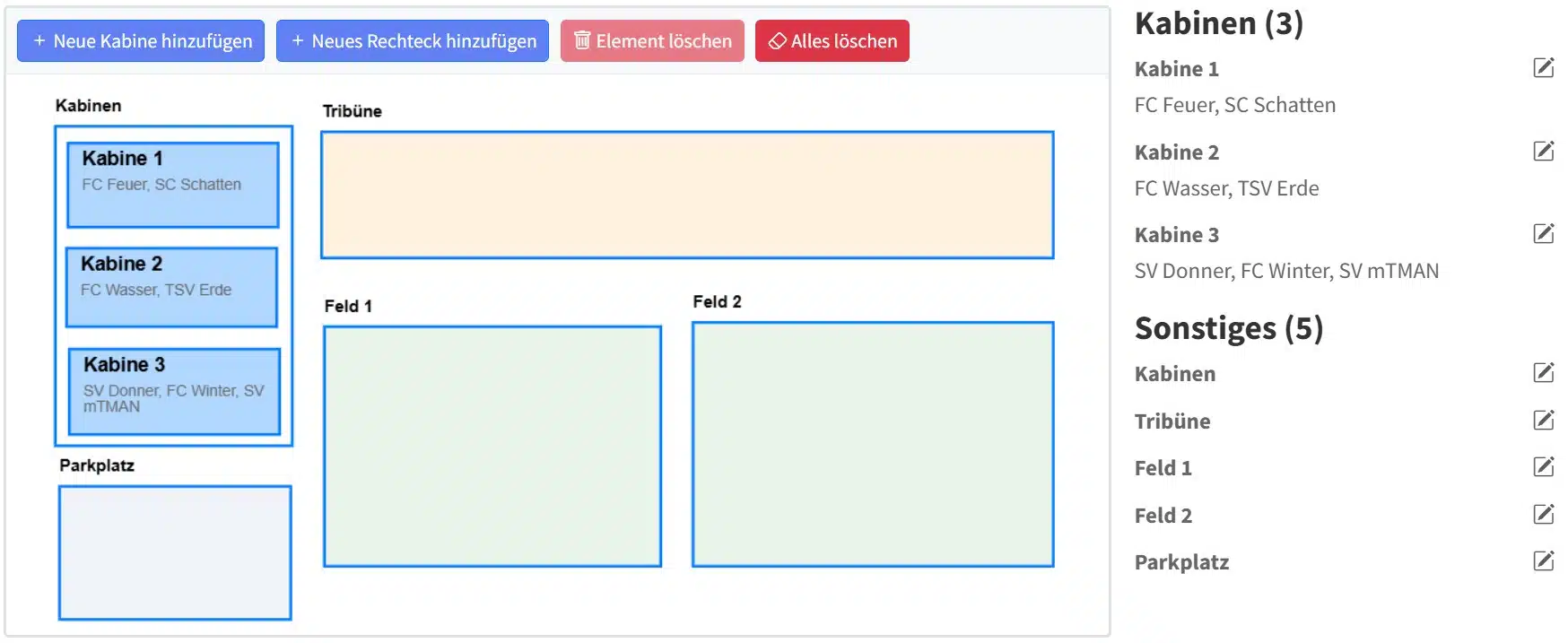
Create a seating chart using drag-and-drop
Forget complicated Excel spreadsheets and hand-drawn floor plans. With myTMAN’s visual editor, you can create your floor plan intuitively using drag-and-drop.
- Simply drag elements onto the workspace
- Adjust the position and size as needed
- Assign teams with a single click
- Changes visible in real time
Export as PDF & print
With just one click, you can export your schedule as a PDF. Print it out and post it in the lobby and on the locker room doors on the day of the tournament.
- Export as a high-resolution PDF
- Optimized for printing (A4/A3)
- Including team names and colors
- Professional layout
Tip: Laminate the printed map—that way, it’ll survive a rainy tournament day unscathed.
Display directly on the invitation page
The schedule will automatically appear on your tournament invitation page. This way, registered teams can see which locker room has been assigned to them even before the tournament begins.
- Automatic integration on the invitation page
- Teams can view their assignments in advance
- Fewer inquiries on the day of the tournament
- A professional first impression
Create a schedule now
Sign up for free and use the visual locker room and court scheduling tool for your next tournament.