
Create a professional tournament schedule!
Your entire tournament schedule in one place! With myTMAN, you can create a professional tournament schedule in just a few minutes—for free — complete with an online registration page, a shareable QR code, a live game timer, a scoreboard, and many other useful features to simplify your entire tournament organization!
Features At a Glance

Create a tournament quickly and easily
Create a tournament in seconds with myTMAN. We'll automatically generate an online registration page for you, which you can share with a single click via email, WhatsApp, or as a link.
You have various customization options, such as payment method, gender, tournament format, skill level, and much more. You can even create custom fields.

Create tournament schedule
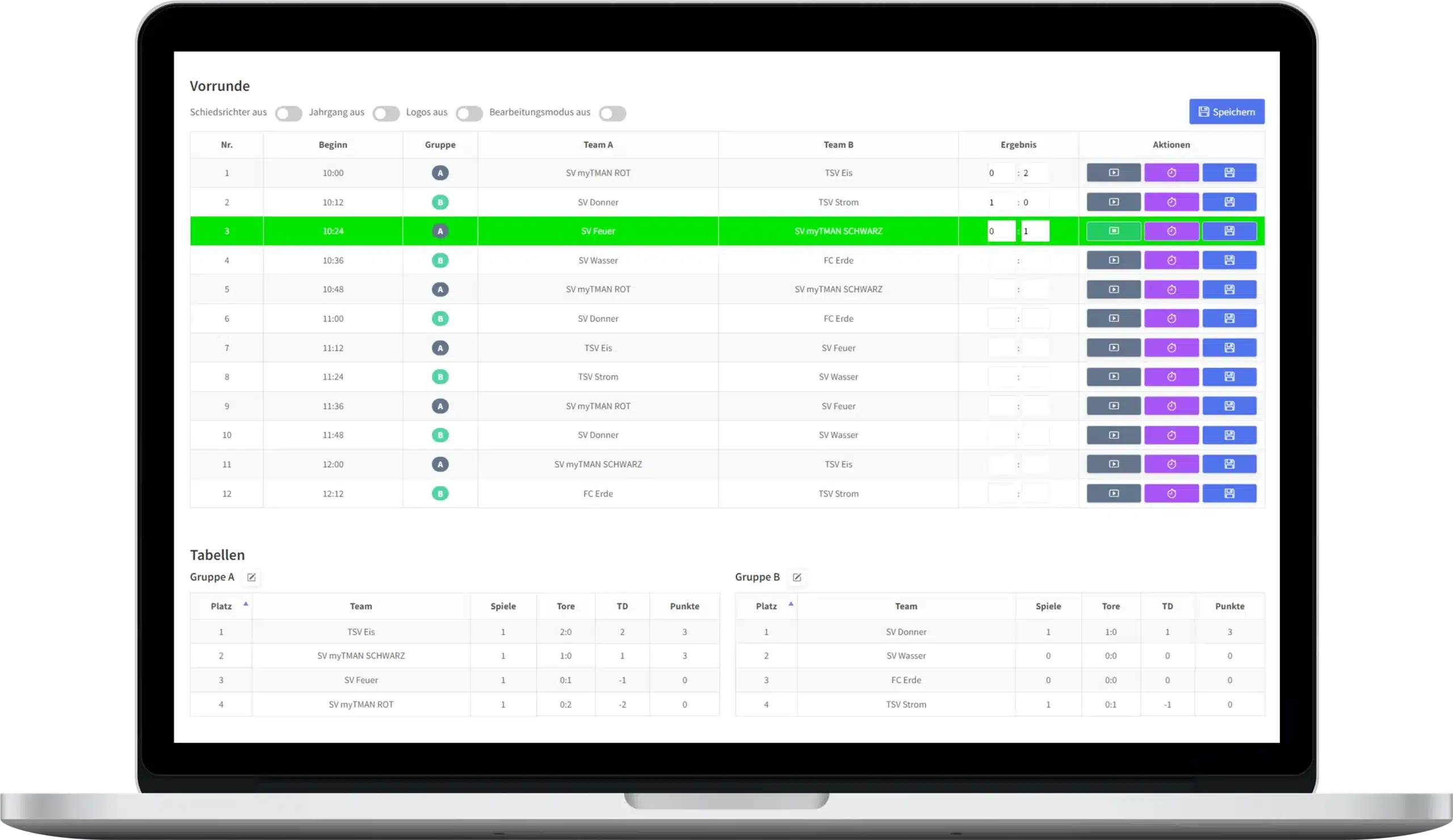
Create a professional tournament schedule for your event in just a few clicks. Since all registrations for your tournament are stored in myTMAN, the teams are automatically populated. You can choose from 40 tournament schedule templates, and the schedule can be easily shared via a QR code or as a link.

Presenting games clearly
With our live game timer, the active game can be presented in an attractive way. The game timer shows the remaining playing time, the scorers and the score.
New: Assists and Goalkeeper Saves

Add helper
Invite your volunteers via a link or email to help you organize and run your tournament.

Tournament overview
In the tournament overview, you can see all the tournaments you've created in one place. Here, you can edit a tournament, duplicate it, create a tournament schedule, run the tournament, generate invitation links, and handle everything else. Learn more...

Full screen mode
Use full-screen mode to share your tournament on external screens or a projector screen so that all on-site visitors can stay up to date. Learn more...

Secure and GDPR-compliant
Are you sending out your tournament invitations by email without the consent of the recipients? Then you may be in breach of the General Data Protection Regulation. With myTMAN, your tournament invitations are sent out in a modern, reliable and data protection-compliant manner.

Online registration page with registration management
Coaches can register for your tournament with just one click via the automatically generated online registration page.
As an organizer, you can then accept or reject each registration, check the status of the registration fee, place a registration on the waiting list, and do much more.

Automatic e-mail notifications
When coaches have registered for your tournament, you will automatically receive an email notification from myTMAN. Participants in your tournament will also be automatically notified when you accept or decline a registration.

Create and send receipts automatically
With just one click, you can automatically generate and send receipts for your tournament to all your participants. Learn more...

Create automated player registration form
Teams registered for your tournament can enter their players with just a few clicks. As the organizer, you will then automatically receive a PDF containing the game report. Learn more...

Address books
Create address books and import your contacts into myTMAN. This allows you to easily send tournament invitations to specific distribution lists.

Visual Cabin & Seat Assignment Planner
With this new tool, event organizers can easily plan their booth layout visually. Other elements, such as playing fields, parking lots, and so on, can also be added with ease.
The schedule can also be exported as a PDF, printed, and is displayed directly on the tournament invitation page.

Are you missing something? Then let us know!
Are you missing a function so that you can use myTMAN for yourself? No problem, just send us an e-mail to [email protected] and we will implement your request. If you want, you can also write to us directly in our live chat.
Many clubs already rely on myTMAN